
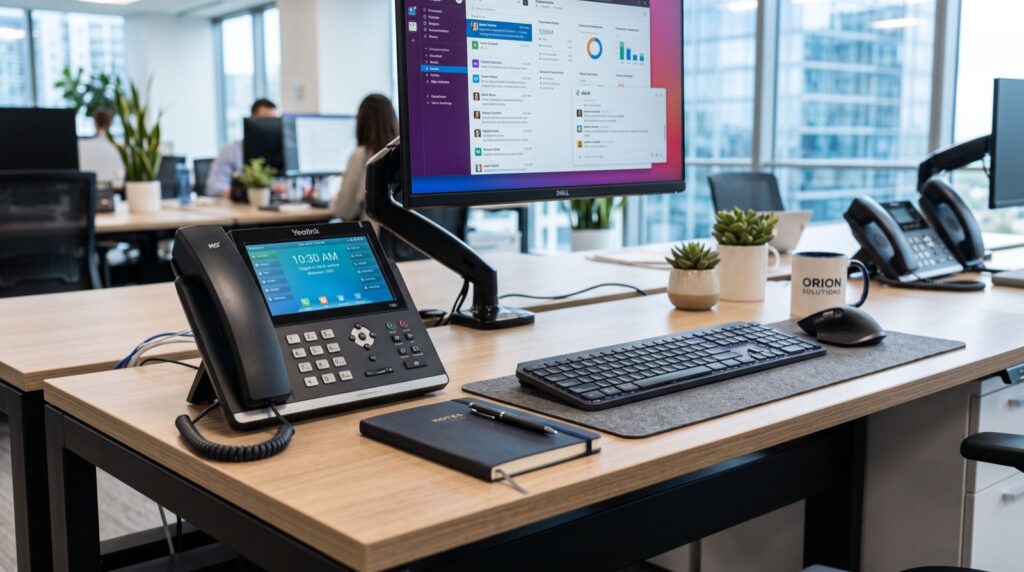
How to Choose a Business IP Phone in 2026: A Practical Buyer’s Guide
Choosing a business IP phone in 2026 is no longer about picking the cheapest handset on a shelf. It is about matching a SIP-capable device to how your team actually works, how many calls you handle, and which PBX or cloud platform you run. A well-chosen IP phone pays for itself in call clarity, fewer dropped connections, and staff who spend less time fighting with hardware. This guide walks you through the decisions that matter, from codecs to display size, so you buy once and buy right.
Across Pakistan, small offices, call centres, and enterprises are steadily retiring analog lines for VoIP. If you are shopping for reliable hardware, distributors like Fanvil IP Phones in Pakistan stock a full range of desk phones, cordless handsets, and intercoms that plug straight into a modern SIP network. But before you buy, it helps to understand what separates a good business IP phone from a frustrating one.
Why the right business IP phone matters
An IP phone converts your voice into data packets and sends them over your network using the Session Initiation Protocol (SIP). The quality of that experience depends on the handset’s hardware, its codec support, and how gracefully it handles network congestion. A budget phone with a weak processor will echo, clip, and drop registrations under load.
Investing in the correct model reduces support tickets and keeps customer-facing staff productive. The goal is a device that registers instantly, holds a stable connection, and gives users tactile buttons and a readable display so they never guess whether a call connected.
Key features to compare before you buy
Not every feature is worth paying for. Focus your budget on the specifications that affect daily use:
- Codec support: Look for G.711, G.722 (HD voice), G.729, and Opus for wideband clarity and bandwidth efficiency.
- SIP account lines: Entry phones support 1–2 SIP accounts; enterprise models handle 16–20 lines with BLF keys.
- Power over Ethernet (PoE): One cable delivers data and power, simplifying desk wiring.
- Display: Colour screens and programmable soft keys speed up transfers, holds, and directory lookups.
- Gigabit ports: Dual gigabit ports let you daisy-chain a PC without throttling your network.
- Provisioning: Zero-touch and auto-provisioning save hours when deploying dozens of units.
Match the IP phone to the user role
Different staff need different tools. Buying one model for everyone wastes money on some desks and starves others.
Entry-level desks and shared areas
For reception overflow, warehouses, or shared meeting spaces, a compact single-line handset is plenty. A dependable option here is the Fanvil V50P Basic Level IP Phone, which delivers HD audio and PoE without the cost of a full executive terminal. It is the sort of phone you can roll out across an office floor without straining the budget.
Managers and knowledge workers
Staff who juggle transfers, conference calls, and busy-lamp-field monitoring benefit from a colour screen, more line keys, and Bluetooth or Wi-Fi. These mid-range phones cut the number of misdials and speed up call handling.
Mobile and roaming staff
Floor managers, hotel staff, and clinicians who move around need a cordless Wi-Fi handset rather than a fixed desk phone, keeping them reachable anywhere within coverage.
IP phone comparison table for 2026 buyers
The table below summarises how typical IP phone tiers stack up, so you can size your purchase against your call volume and budget.
| Phone tier | SIP lines | Display | Best for | PoE |
|---|---|---|---|---|
| Basic desk phone | 1–2 | Monochrome LCD | Reception, shared desks | Yes |
| Mid-range business | 4–6 | Colour, soft keys | Managers, sales | Yes |
| Enterprise executive | 16–20 | Large colour + side keys | Operators, call centres | Yes |
| Cordless Wi-Fi | 1–2 | Colour handset | Roaming staff | Charging base |
Compatibility with your PBX and network
Before you commit, confirm the phone is certified or tested with your platform, whether that is a self-hosted Asterisk or FreePBX server, a 3CX system, or a cloud VoIP provider. Standards-based SIP devices generally interoperate well, because SIP is defined openly in IETF RFC 3261, but vendor-specific features like provisioning URLs and BLF need a quick test.
Also audit your network. VoIP needs low latency, low jitter, and QoS tagging so voice packets get priority over bulk data. A gigabit switch with PoE and a properly configured VLAN for voice traffic prevents most call-quality complaints. If you are relocating an office and need cabling and hardware set up correctly, it is worth engaging an experienced local team who can plan the network alongside the move.
Budgeting: total cost of ownership, not just sticker price
The handset price is only part of the story. Factor in PoE switches, headsets, provisioning time, and any licensing on your PBX. A slightly pricier phone with zero-touch provisioning often costs less to deploy at scale than a cheap unit you configure by hand.
- Count your active users and peak concurrent calls.
- Assign phone tiers by role using the table above.
- Confirm PoE budget on your switch (watts per port).
- Test one unit against your PBX before bulk ordering.
- Plan spares — keep 5% of units as replacements.
Frequently Asked Questions
What is the difference between a business IP phone and a home VoIP phone?
A business IP phone offers more SIP lines, BLF keys for monitoring colleagues, PoE, gigabit ports, and enterprise provisioning. Home VoIP handsets usually support a single line and lack the management features teams need at scale.
Do I need Power over Ethernet for my IP phones?
PoE is highly recommended because it powers the phone through the same Ethernet cable that carries data, removing the need for separate adapters and simplifying desk installs. If your switch lacks PoE, you can use PoE injectors or the phone’s power supply.
Will any IP phone work with my PBX?
Most standards-based SIP phones interoperate with common PBX platforms, but always test provisioning and advanced features first. Vendor certification with your platform is the safest guarantee of full functionality.
How many SIP lines does a small office need?
A basic single-line phone suits most individual desks. Managers and operators who transfer calls frequently benefit from four or more lines with programmable keys.
Conclusion
Choosing a business IP phone in 2026 comes down to matching the right tier of hardware to each role, confirming SIP and PBX compatibility, and building a network that treats voice as a priority. Start with your call volume, use the comparison table to assign models, and always test one unit before you scale. Get these fundamentals right and your team enjoys crisp HD calls and rock-solid reliability, with a clear upgrade path as your business grows. Explore a trusted supplier, pick the models that fit your desks, and place your order with confidence.